




First setup
Completes Facebook login and Page selection.
Automate your sales in seconds with Avosist!
Discover the limitless world of your AI assistant.
24/7 automated customer replies in natural language.
AI-powered automatic replies and sales via DMs.
Smart customer communication on Facebook Messenger.
Sales, support and appointments directly on your website.
Natural voice responses to phone calls via AI.
Full compatibility with WhatsApp, Instagram, Messenger and marketplaces.
Guides and verified resources
Leave your info and we will call you
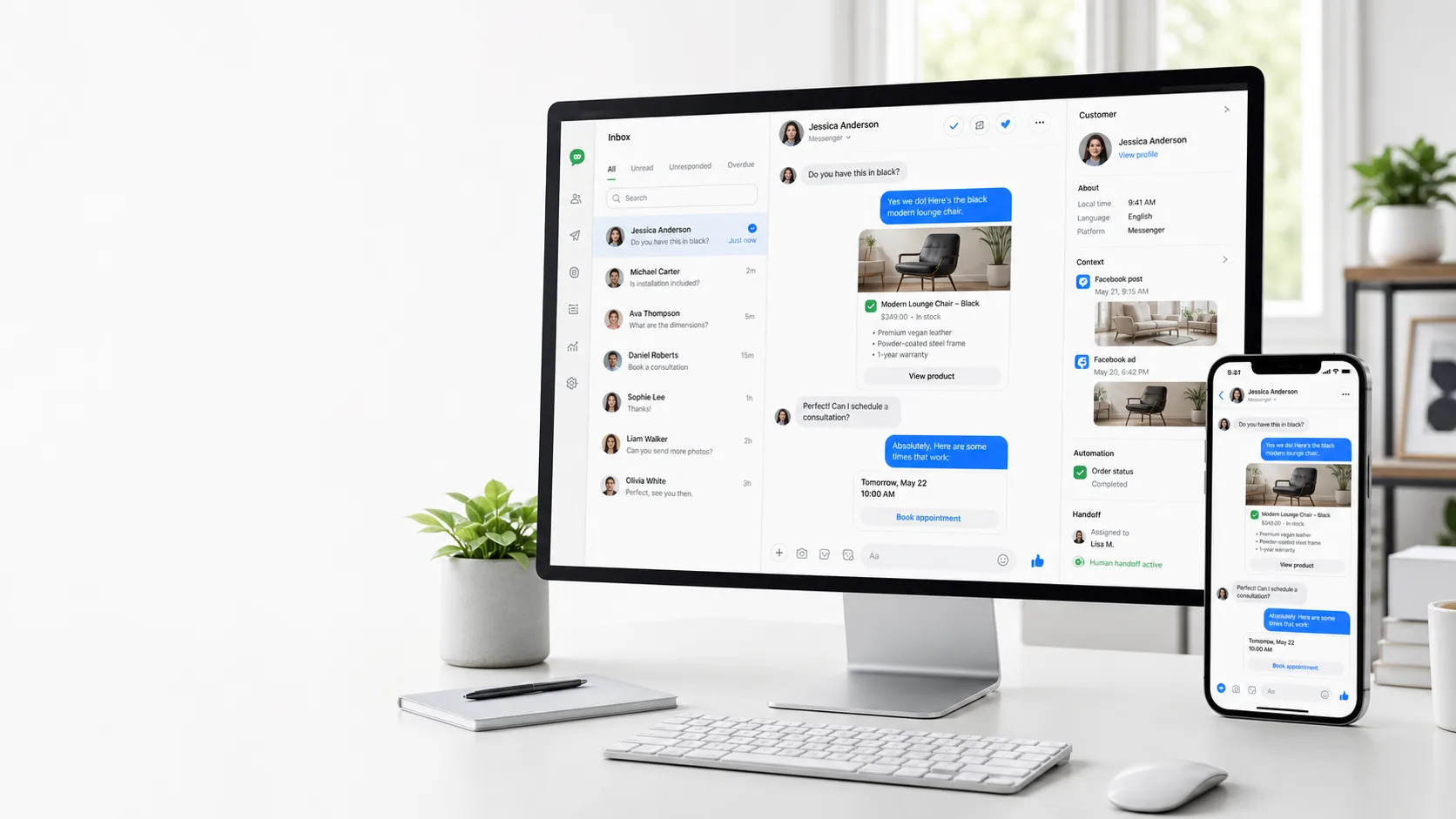
FACEBOOK SETUP
Connect a Facebook Page you manage through the correct Meta callback flow and prepare the business knowledge used by the assistant.
DIRECT ANSWER
After connection, Page selection, permissions, knowledge base, tools and test conversations should be verified together. The callback URL must match the configured Avosist Messenger return route.
WORKFLOW
Add a Page you manage to Avosist with the required Meta permissions.
Connect the knowledge base, post context and permitted tools to the same assistant.
Monitor replies, manage handoff and review channel performance.
REAL SCENARIOS
Completes Facebook login and Page selection.
Renews expired or changed permissions.
Tests post context, product tools and human handoff.
FREQUENTLY ASKED
The account must have the required management permission on the Page.
The return URL shown in the Avosist Messenger connection flow is added to the Meta app.
Eligible managed Pages can be selected according to account and license conditions.
Yes. Verify the knowledge base and permitted tools before launch.
OFFICIAL PRODUCT SOURCE
This page describes current Avosist capabilities. Availability can depend on the connected account, platform permissions, enabled integrations and licence.
Content reviewed:
EXPLORE THE CLUSTER
AVOSIST
Build the knowledge base, connect permitted tools and review the final prompt before launch.
This website uses cookies to improve your experience and ensure our services work properly. By continuing, you accept our Cookie Policy .